Hello. My name is Anderson Hsu. I am a 3rd and Final year Student in Griffith University studying Bachelor of Games Design.This page is a portfolio of my recent and previous work. Welcome.
Showing posts with label Red Red Dragon. Show all posts
Monday, August 29, 2011
Red Red Dragon: Model
The Mesh of the Main Character 'Red Red'. All that is left to do is the UV-Mapping, rigging, animating and finally placing him within the game...
Tuesday, August 16, 2011
Image - The Cave - Mushroom Lights
Just started on the second half of 'The Cave' which will be the tutorial on platform puzzles and combat. Enjoy the screenshot.
Wednesday, August 10, 2011
Visual Update: Menu
I created a Menu.
I like it.
With more time I will add real objects and animations.
Here's a preview:
Tuesday, August 9, 2011
Visual Update: Tutorial - The Cave
Another Update on Red Red Dragon:
I managed to rework the spawns, now I can place a Game Object within the scene and when the player reaches that object, spawn a specified type of enemy in a specified pattern. I also created a whole bunch of Assets which make up the Tutorial Level :- The Cave.
Below is a Demo Video of the Cave:
Tuesday, August 2, 2011
Modelling - Farmer Egg Beginning
Imagination time:

Monday, August 1, 2011
The Game's Appearance Now + Update
Now the game's spawn system has been revamped, now allowing the player to be able to memorize where the enemies will come from and in which order. However this also made the game too easy, hence an upgrade of the system needs to be done.
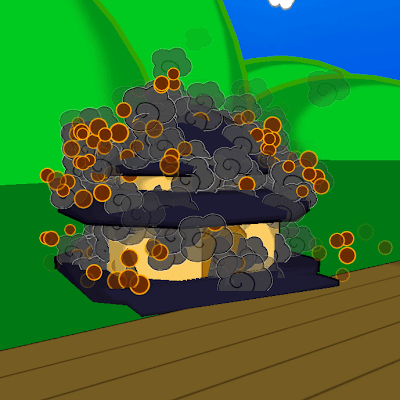
Also, I have gained a certain fondness of combining 2D graphics with 3D Graphics and have tried to implement it as much within the game as possible. Evidence can be seen with the smoke and 'flame-particles' from the previous post, as well as the 'fire' the dragon fires out in the image below.
Oh, the image below shows where the game at as of now - visually. Enjoy:

Experiments with the Toon Shader + Art
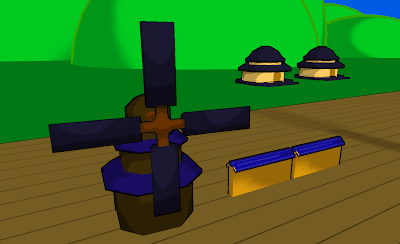
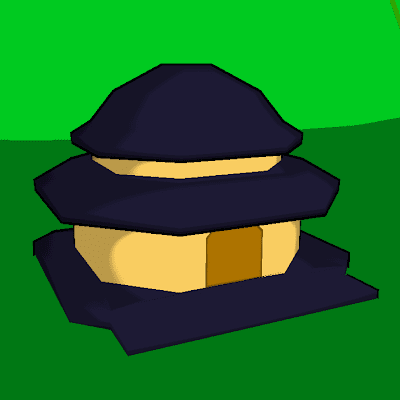
After fiddling around with Unity's Toon Shader, I discovered my frustration of it was due to the fact that I did not completely understand it. Turns out the models have to have 'Soft' Edges in order for the 'toony' lighting to appear. It seemed so simple, but I figured it out. So I dished out some simple models which will be things that the player will either have to avoid/destroy/look at while they are destroying things.
Enjoy:


Sunday, July 24, 2011
Experiment with Toon Shader

My experience with the Toon Shader within Unity hasn't been the most pleasant. I decided to look up ways to simulate this through exterior means. Here's pretty much the idea I had for what the game's objects will possess. I intend for simple colors, dark outlines and an overall 'drawn' look to the game.
I have yet to try to import this to Unity.
Friday, July 8, 2011
Red Red Dragon - Word based Patterns
Enemies sometimes rush at the player in the form of words!
Enjoy:
Red Red Dragon - Attack Upgrades
Example of the attack upgrading within the game:
In this case, the 'Spread' Flame.
Tuesday, July 5, 2011
Red Red Dragon
Decided to hold off of 'Monster' until I finish the remake of the Shoot'em'Up I created back in my first year called 'Dora the Menstrul' dragon. Apparently that was an inappropriate title, so now its remake is called 'Red Red Dragon'. 'Cause its a dragon and its red.
Anyway the fundamental rules remain the same - one dragon, lots of dudes flying around, on the ground and other stuff to just burn away. Here's a better description:
Title: Red Red Dragon
GamePlay Style: Shoot'Em'Up/Platformer/Puzzler
Player View: Side Screen + Birds Eye (Changes Accordingly)
Controls: Mouse/Mouse + Keyboard/Keyboard
Game Play:
The Game essentially is just burning things and accumulating as many point as possible. Points are earned by destroying enemies, objects and achieving certain 'feats' which will multiply/add your points.
There are points in the game where the controls will change slightly and the player will be alternating between fighting on the ground and in the air. The controls
Acquiring upgrades will increase different aspects of the dragon and acquiring the same upgrade over and over will create an incremental effect. Collecting a different upgrade will reset the upgrade amount to the start.
Parts of the 'flying' stages will involve the player to strike on certain points of the gate in order to avoid dying.
Will upload a gameplay video later:
Currently Completed:
Basic Movement - Controls
Dragon Stats
Enemy Basic Movement
Enemy Spawning
Enemy Stats
Scrolling Stage
Alternating controls
Set Up basic level
Different Attack Modes (Upgrades As well)
Attacking Stats
Upgrades and Pick-Ups
Point System - Indicators included
Subscribe to:
Posts (Atom)